Find Visually Similar Images Instantly
A lightweight, cross-platform desktop application designed to find visually similar images within a directory using Perceptual Hashing (pHash).
Running on Windows? See installation instructions regarding the SmartScreen warning.
Why You'll Love It
Visual Search
Find images that "look" like your target, even if they have different filenames or resolutions.
Standalone & Portable
No installation required. Run it directly on Windows or Linux without any dependencies.
Fast Indexing
Uses an SQLite database to remember image hashes, making subsequent searches near-instant.
Adjustable Sensitivity
Fine-tune the search with a slider—find exact duplicates or looser variations with ease.
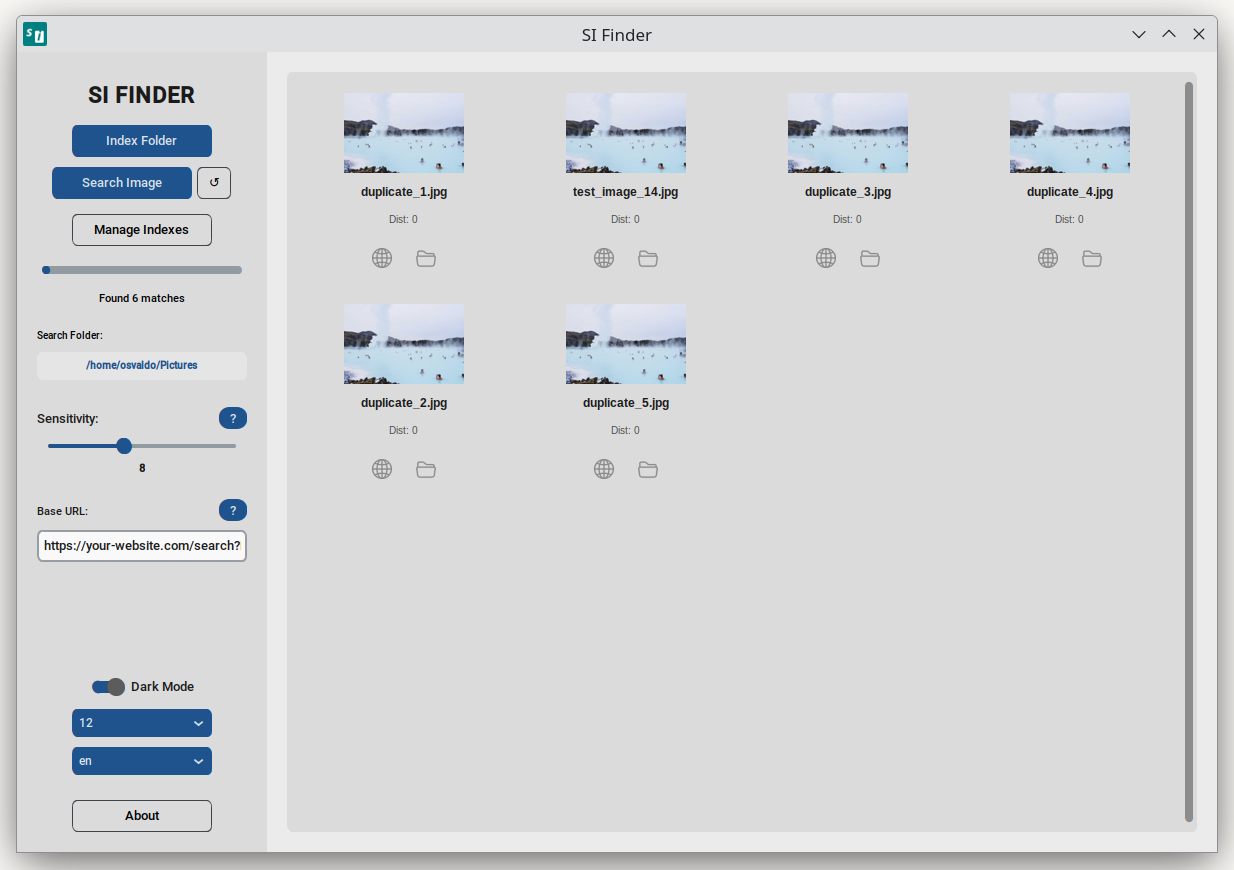
Thumbnail Grid
View results in a clean, modern gallery layout that shows matches at a glance.
Multi-language
Fully localized in English, Spanish, and Portuguese to support users worldwide.
How It Works
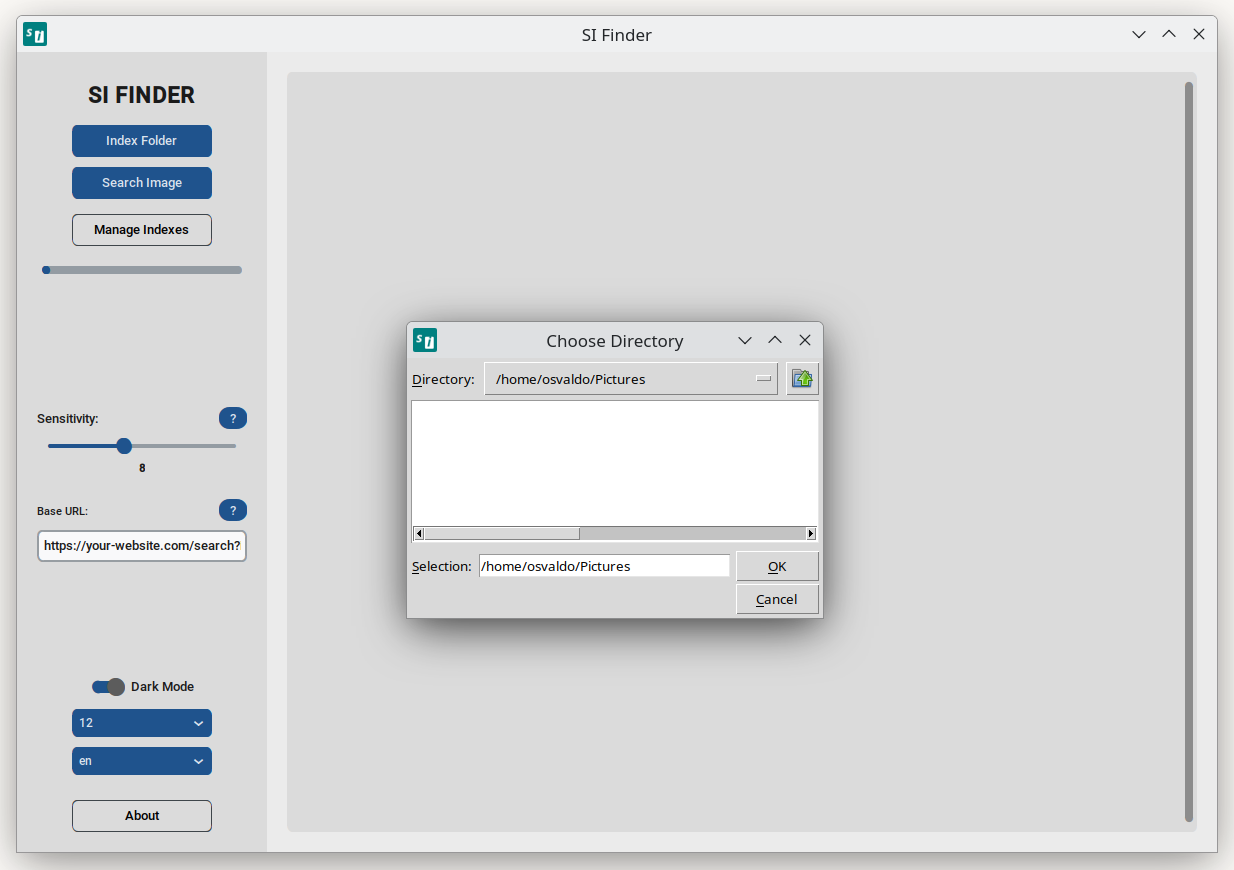
1. Index Your Folder
Select the directory containing your images. SI Finder will scan and index them using pHash technology.
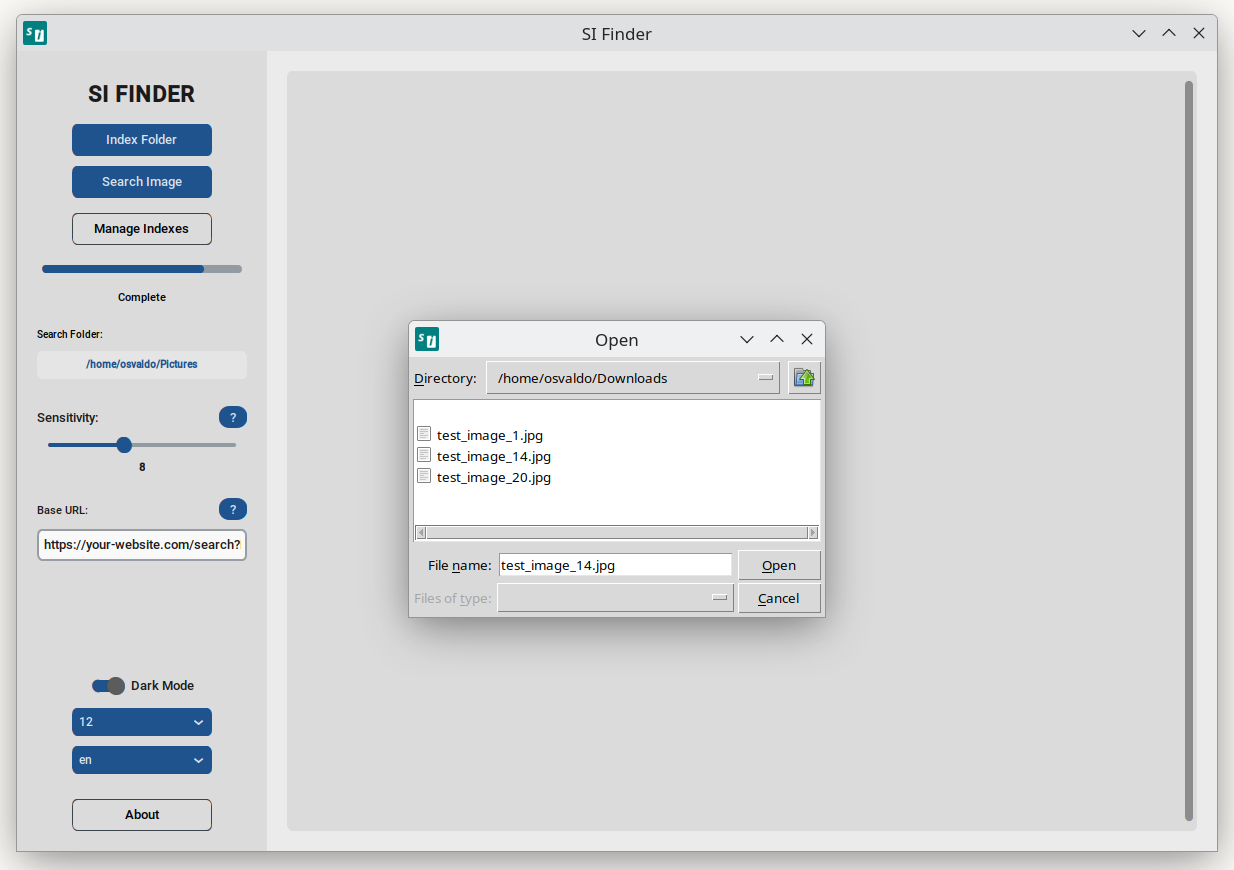
2. Search by Image
Pick a reference image, and the app will instantly find the most similar matches in your indexed library.
3. Browse and Act
Open the containing folder or view web links directly from the results grid.
Data Privacy
Everything happens locally. No images are ever uploaded to the cloud. Your privacy is our priority.
View on GitHub
The project, containing the source code and license, is available for review.
View Repository